Run your SAS code in Snowflake on Jenner
No SAS license required.
Jenner is an independent engine for the SAS language. It runs your DATA steps, PROCs and macros inside your Snowflake account, as a Snowflake Native App, on the tables you already have.
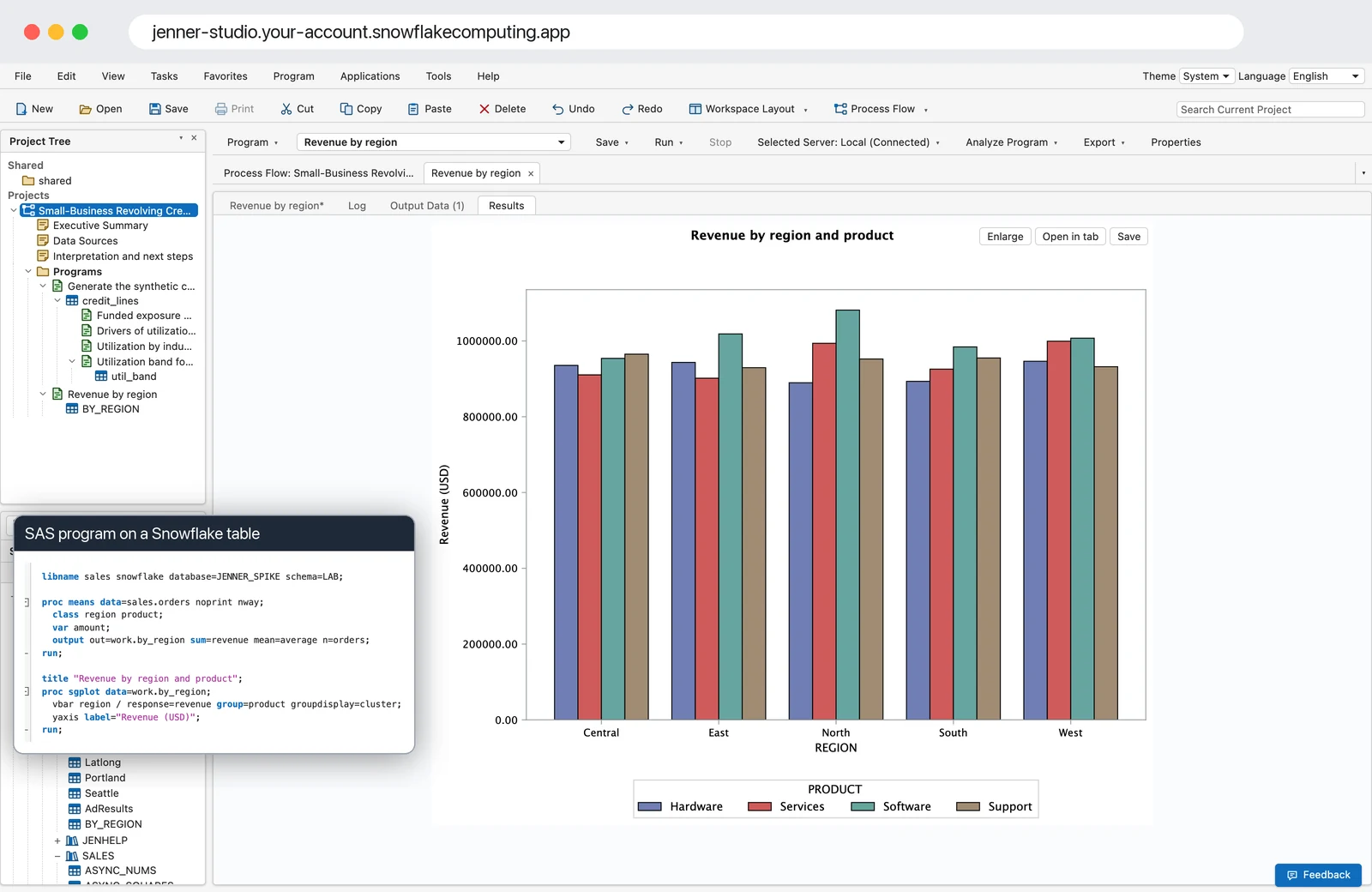
Can SAS code run in Snowflake?
Yes, with Jenner. Install the Jenner app in your Snowflake account, open Jenner Studio from it, and run your programs there. A program can also be started from SQL with one CALL, with the tables it reads and the tables it writes named in the call.
The language does not need translating. Most programs do need their file and library paths pointed at Snowflake locations, because a program that reads /sasdata/sales has to be pointed at a stage or a table instead.
What runs, and where
Jenner is one engine. In Snowflake it runs in containers on your own compute pool, and it reads and writes tables as the person who is signed in.
In Jenner Studio
Each person starts a Studio of their own and opens it in the browser, behind Snowflake sign-in. Build process flows, write and run programs, and browse your tables.
In a notebook
Notebooks open in Studio tabs. Their cells run SAS code on the Jenner kernel, in the same session as the project.
From SQL
CALL core.run starts a program on a stage and waits for it. CALL core.submit starts it and returns at once, so a Snowflake task can run your programs on a schedule.
On your Snowflake tables
In Studio, a LIBNAME statement opens a schema as a SAS library, signed in as you. A program started from SQL names the tables it reads and the tables it writes in the call.
Output on your stage
Each run's program, log, listing and output files are kept in a folder on a stage you own, so they are there after the container has gone.
DATA steps, PROC SQL, macros and 100 procedures
It is the same engine that runs on Linux, macOS and Windows, packaged for Snowflake with Python and R included.
Your data stays in your account
Jenner runs on a compute pool in your Snowflake account and keeps programs, libraries and results on a stage you own. Your tables and your programs are not sent to Jenner.
Each person's runs are their own
Each program runs in its own container, which can reach only its own run folder and the shared libraries. A person cannot start, collect or read another person's run.
Two roles
The app has an administrator role, which sets it up and reads the billing report, and a user role, which runs programs and opens Studio. You grant them as you grant any other Snowflake role.
Billed through Snowflake
Jenner is billed per active user per month, through your Snowflake account. A month with no use costs nothing. Your compute pool is billed by Snowflake as usual.
Frequently Asked Questions
Get Jenner for your Snowflake account
Tell us about your SAS programs and we will help you install Jenner from Snowflake Marketplace.
Ask about Jenner on SnowflakeAsk about Jenner on Snowflake
Tell us roughly how many SAS programs you run, how often, and which procedures matter most.